
Renovation planning, without the chaos

Your renovation.
One clear system.

Plan the work, track every cost, and keep your renovation under control — from the first task to the final payment.

14 days of full access. No automatic charge. Your projects stay available to view.

Reno Pro iPhone Project Health dashboard with Dynamic Island and Fact selected
Target $50,000
Confirmed cost $60,241 +$10,241 vs target
Paid $24,141 recorded payments
Remaining $36,100 left to pay
01Start your projectScratch, demo or template
02Plan the workPhases, items and dates
03Track costs and progressStatus, payments and actual cost

One renovation. One connected journey.

From the first idea
to the final result.

Reno Pro keeps the plan, costs, photos and progress connected as your renovation changes.

01

Start in seconds

Start the way that works for you.

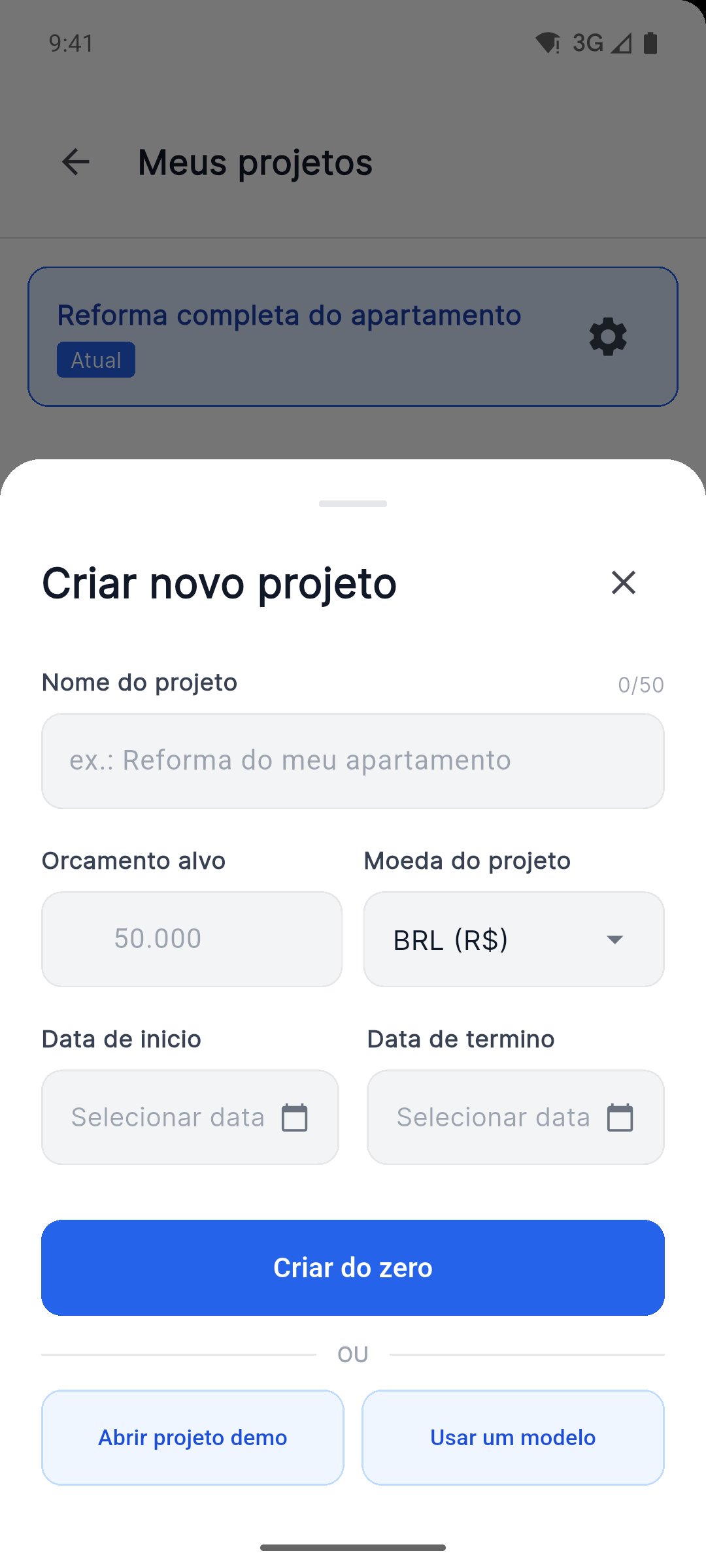
Create from scratch, open a demo project or use a ready template. Set the target budget, currency and dates before the work begins.

  • Project name and target budget
  • Project currency and dates
  • Scratch, demo or template
Reno Pro Android create project screen with currency, dates, demo project and template options
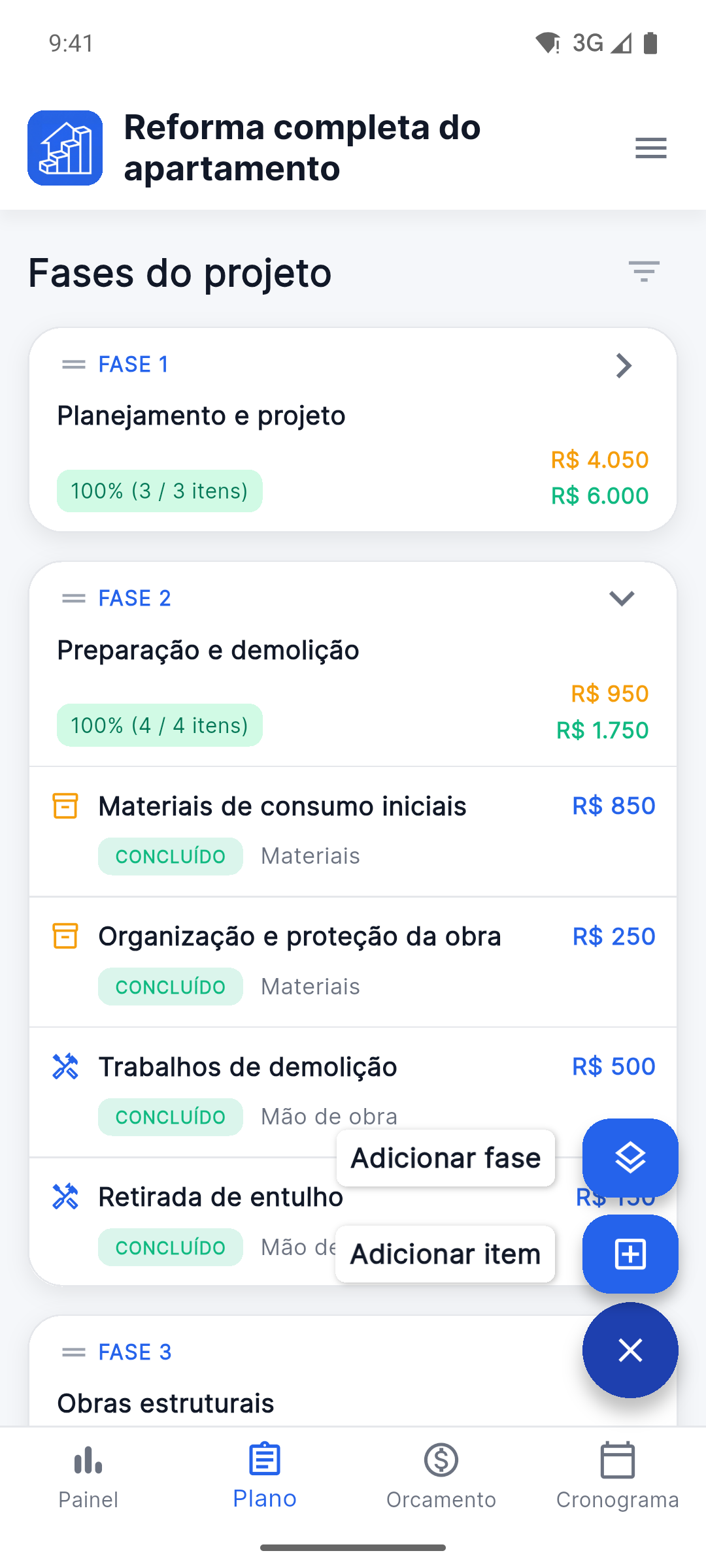
Reno Pro Android project plan with stages and work items
02

Shape the work

Break the renovation into clear steps.

Build phases, add work and material items, and keep every part of the renovation in the right place.

  • Phases for every stage
  • Work and material items
  • Planned work and current progress
03

Keep the details

Keep every detail with the work it belongs to.

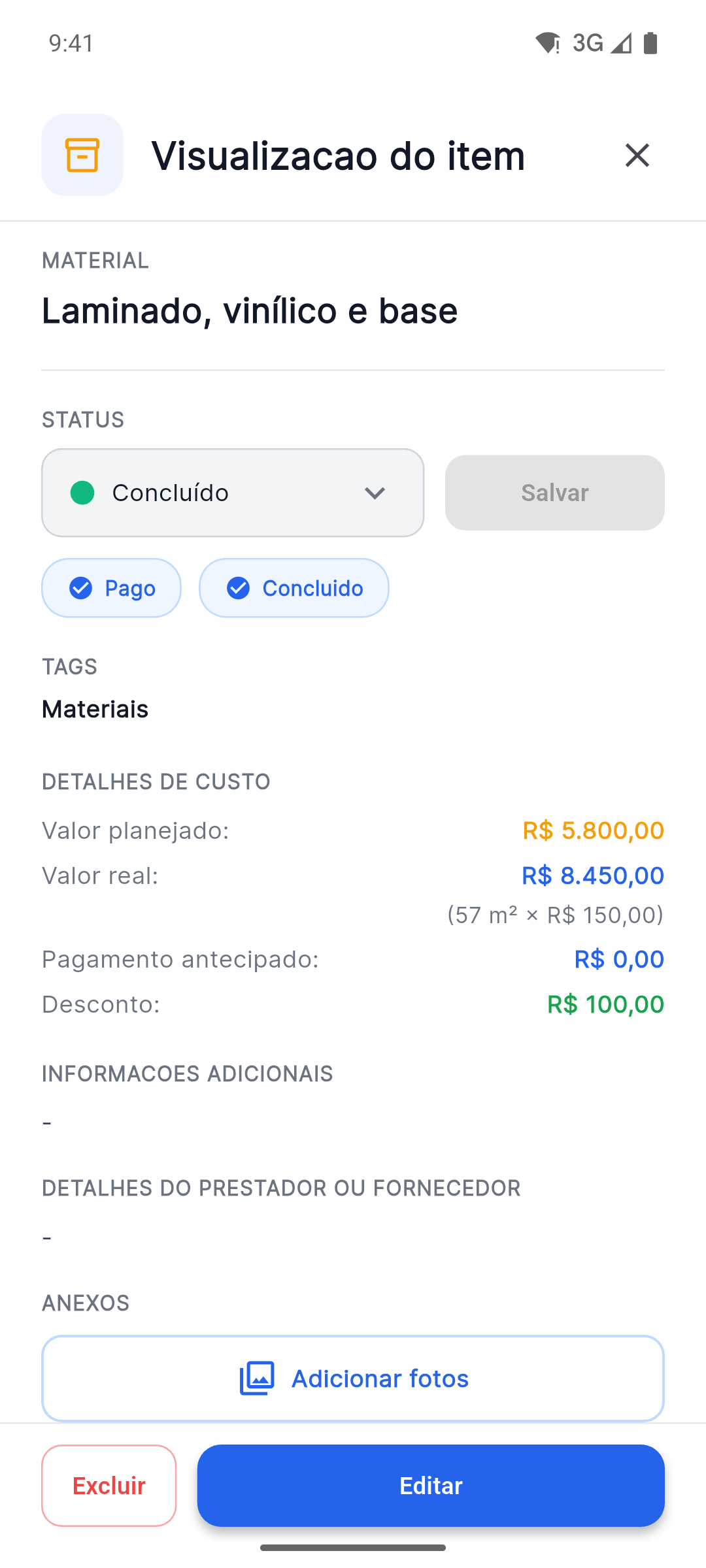
Update the status, compare planned and actual amounts, and keep photos, documents, suppliers and notes with the right item.

Status Photos Plans & documents Notes
Reno Pro Android item details with status, planned versus actual costs and Attach Photos button
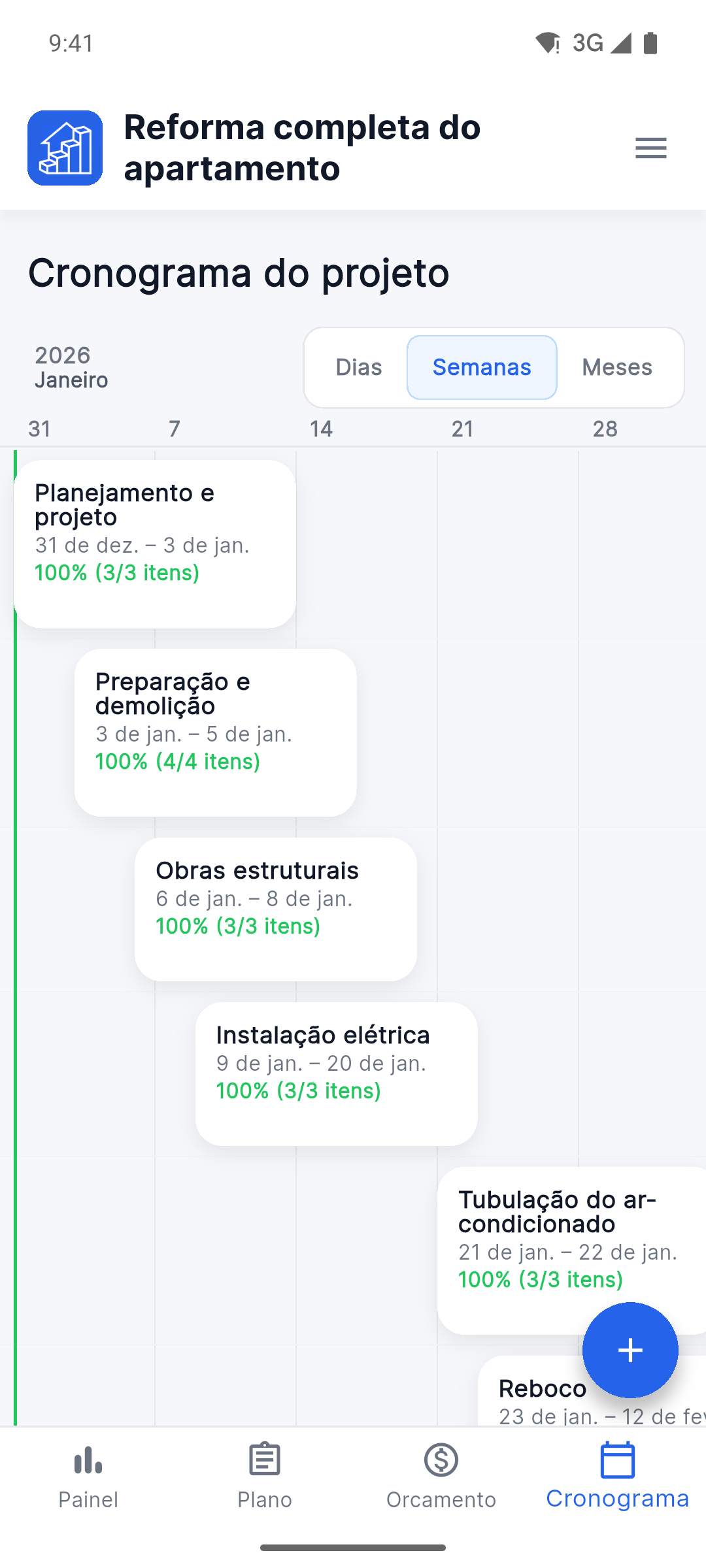
Reno Pro Android project timeline with stages and completion progress
04

Stay on schedule

Know what’s happening now — and what comes next.

Switch between days, weeks and months, follow every phase and keep the next step clear.

  • Days, weeks and months
  • Phase dates and completion
  • A clear view of what comes next
05

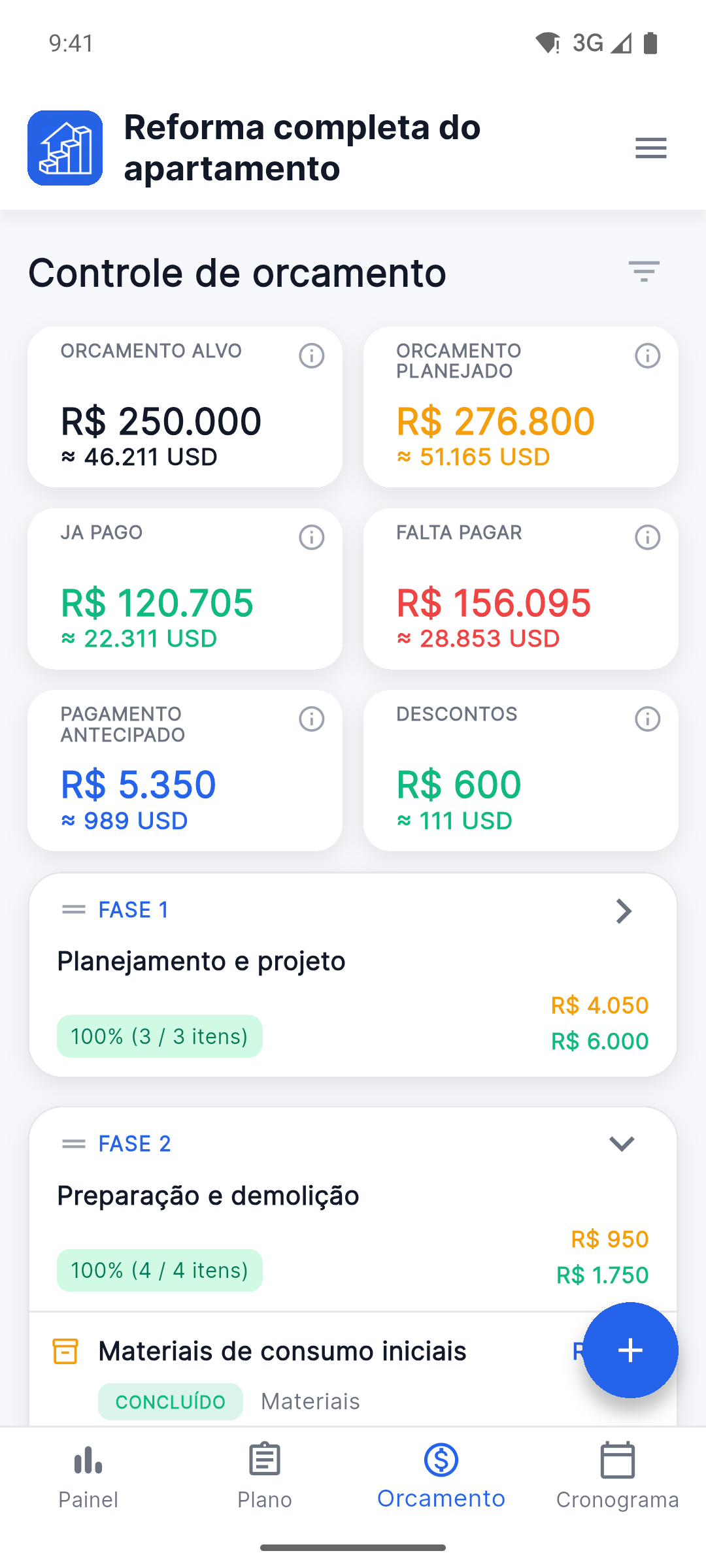
Control every cost

Spot budget changes before they become surprises.

Compare target, planned and confirmed costs. Track payments, prepayments, remaining amounts and discounts separately — in the project currency and a secondary currency.

  • Target, planned and confirmed amounts
  • Paid, remaining, prepayments and discounts
  • Project and secondary currency
Reno Pro Android budget tracker with planned, paid and remaining costs in two currencies
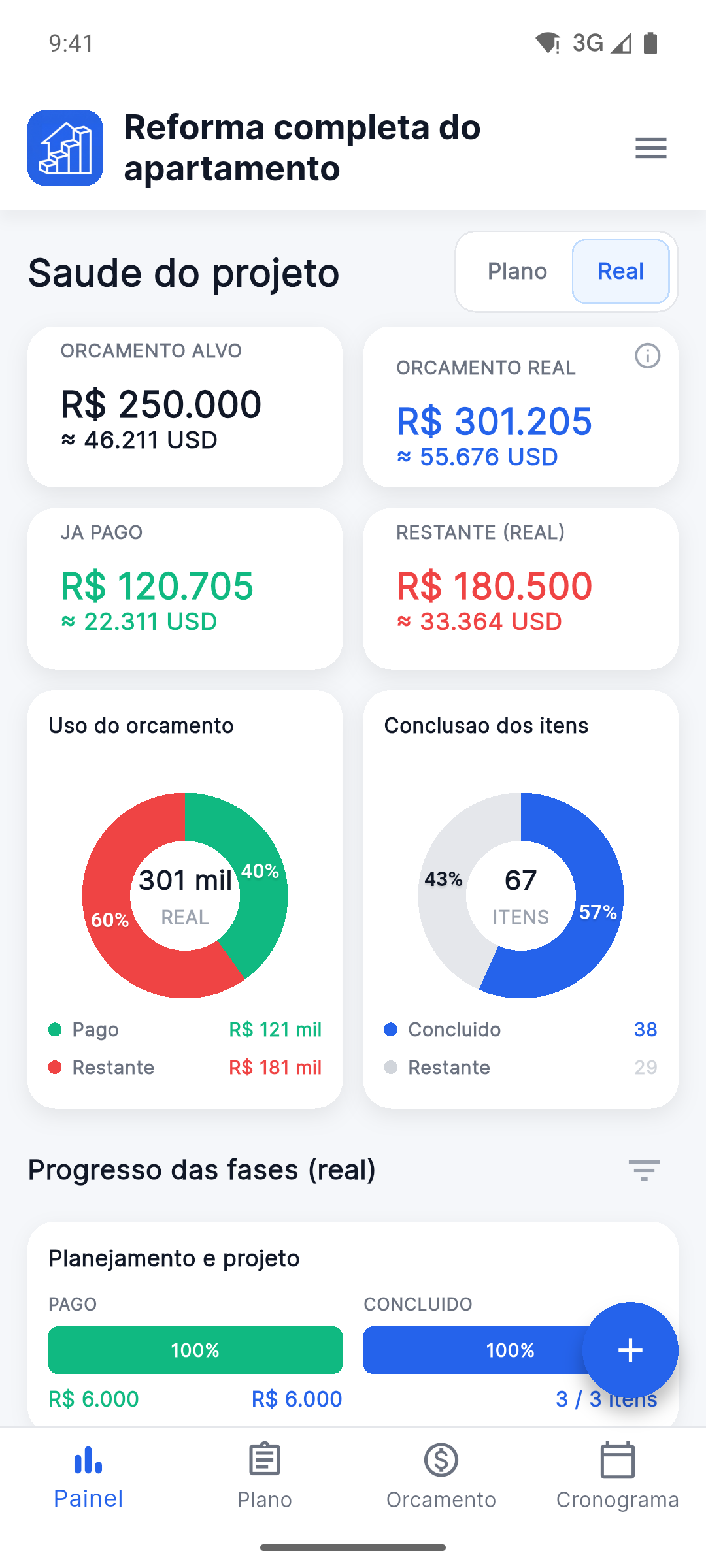
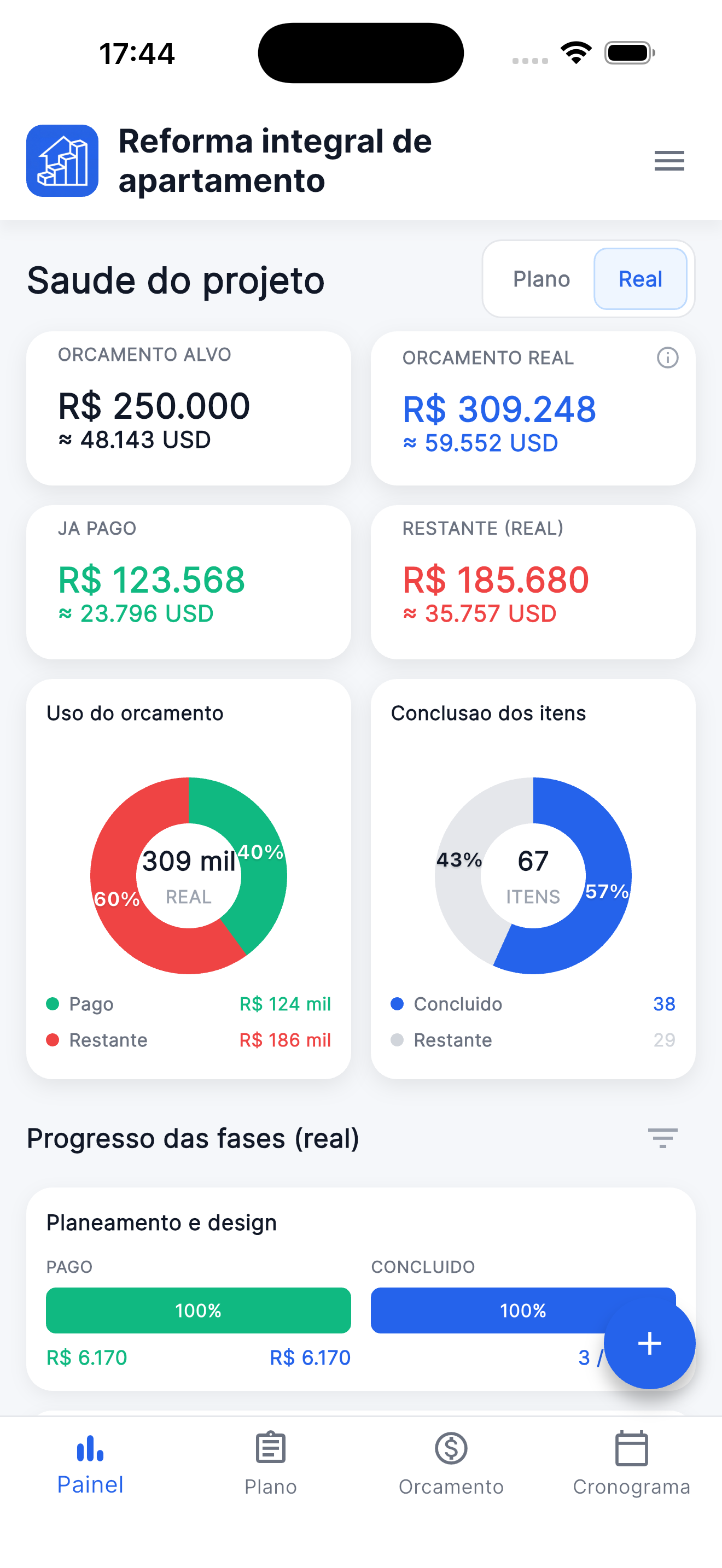
Reno Pro Android Project Health dashboard with the Fact view selected
06

Target, plan and fact

Every number has a clear purpose.

The target budget sets the project limit. Plan shows expected costs. Fact shows the prices you have already confirmed.

PlanFact
Switch views on the dashboard without changing the project data.
Target budgetProject limitThe total amount you want the renovation to stay within.
Plan viewPlanned budgetExpected prices for work and materials before they are confirmed.
Fact viewFact budgetPrices for work and materials that have already been confirmed.
PaidRecorded paymentsPayments and prepayments already recorded in the project.
RemainingStill to payThe confirmed cost that has not been paid yet.

Flexible where every renovation is different

Set up Reno Pro
around the way you work.

Keep the main journey simple, then adjust the details only when your project needs them.

Several projects

Run different renovations without mixing their plans, costs or files.

Secondary currency

See key amounts in the project currency and an additional currency.

Flexible statuses

Adapt work and payment statuses to the way your renovation runs.

Tags and subtags

Group work and materials so the right items are easy to find.

Units of measurement

Use the units that make sense for each material or type of work.

Project export

Export the project to a file and keep a copy after the work is complete.

Try the full experience

Try every feature for 14 days.
Subscribe only if it works for you.

There is no automatic charge. After 14 days, your projects stay available to view, and you decide whether to subscribe.