
Language
Change the interface language in your profile.
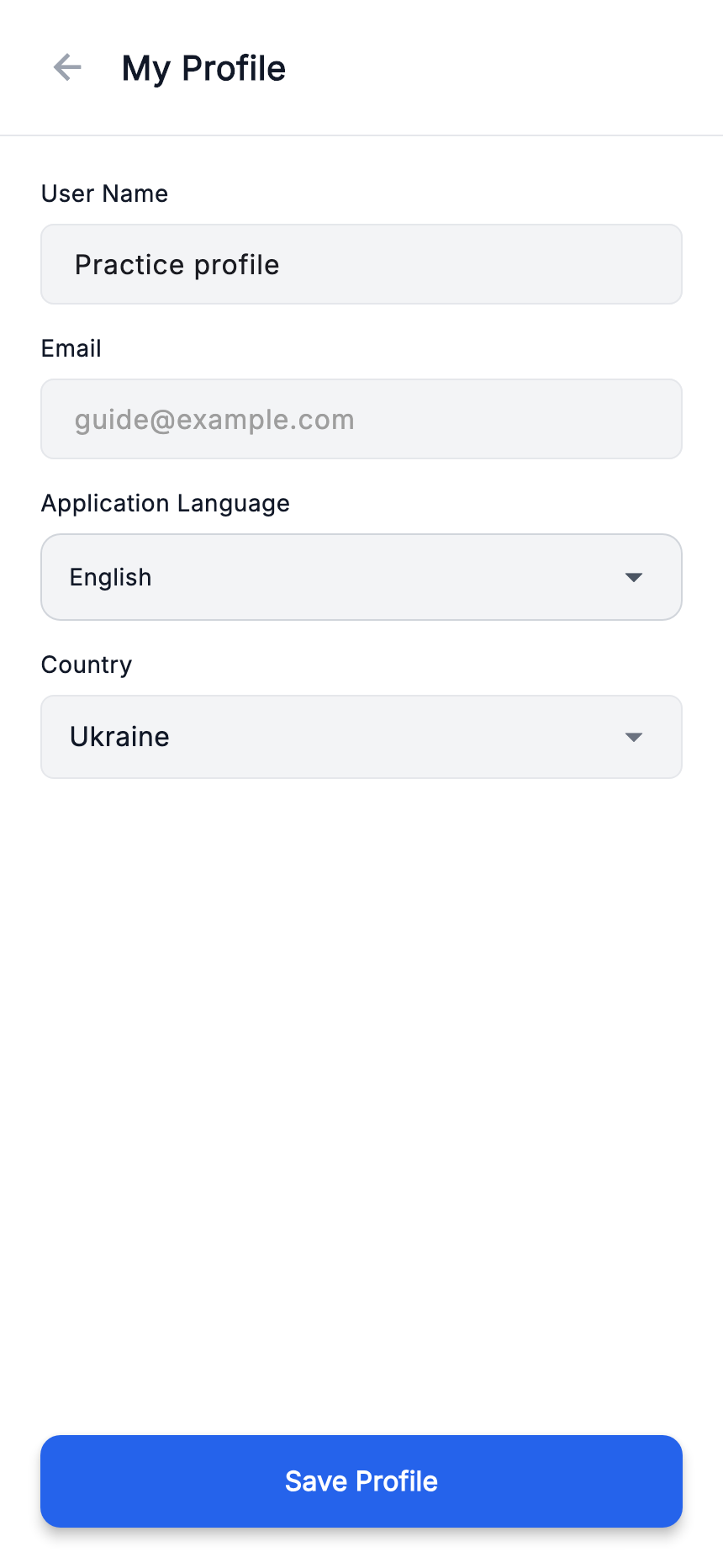
- Open ≡ menu → “My profile”.
- Choose the required language in “App language”.
- Press “Save profile” and check the interface labels.
Language and renovation currency are separate settings. Change currencies and rates in project settings.
My Projects
Keep each renovation separate and switch between them.
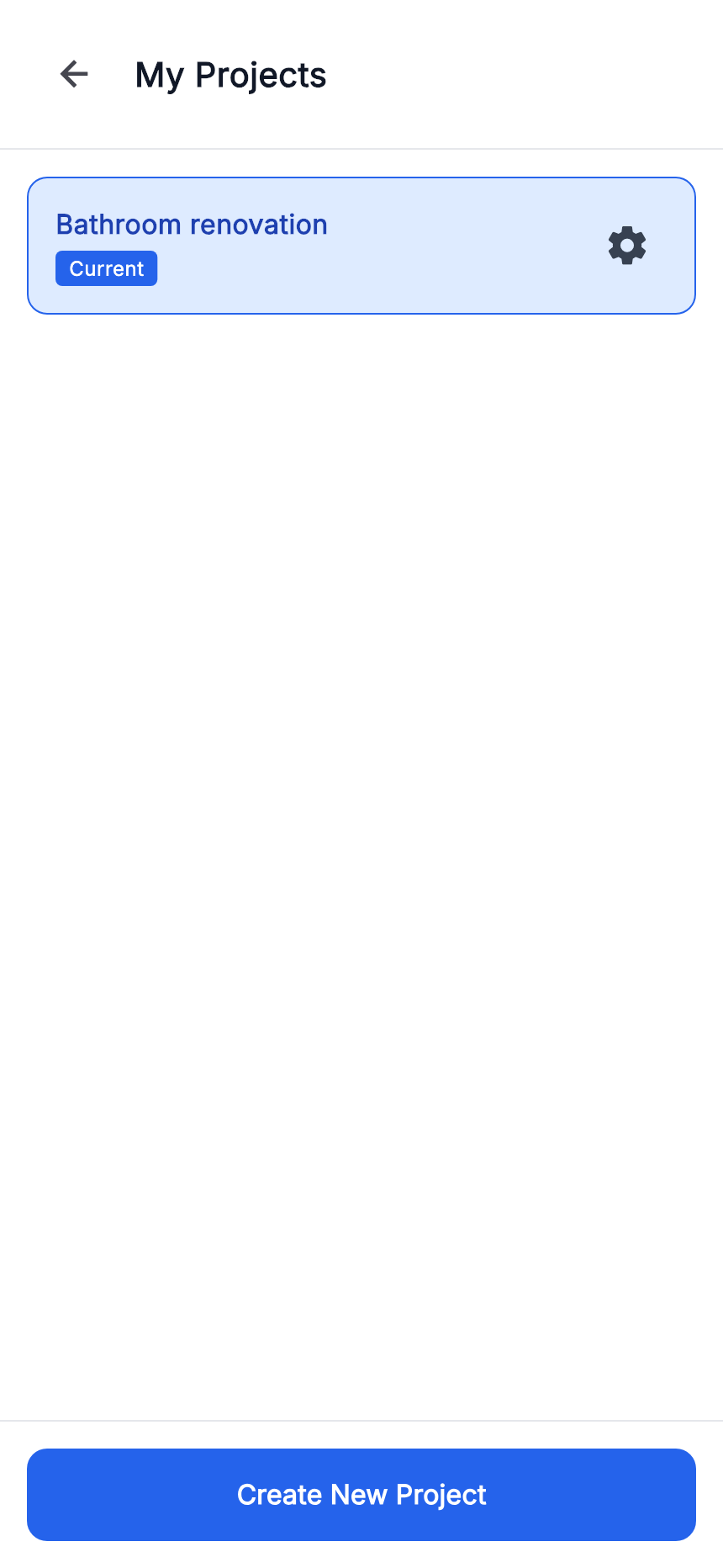
- Open ≡ menu → “My projects”.
- Select a renovation in the list to make it active.
- For another renovation, press “Create new project”. For an existing project’s settings, use its gear.
Check the active project name before adding work or payments. Creating your first project has its own guide.
Help and feedback
Open the ≡ menu at the top of the app.
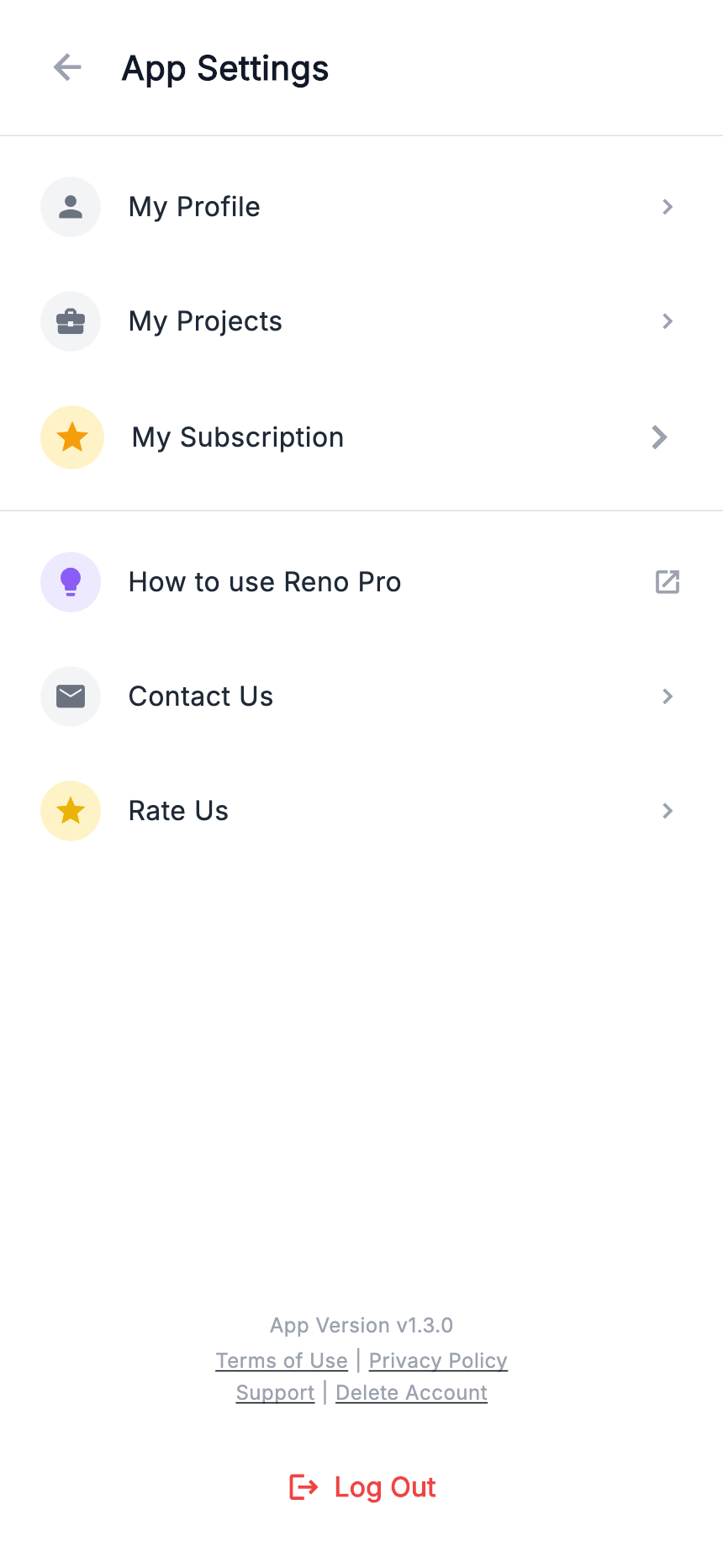
- How to use Reno Pro
- Reopens the in-app tutorial.
- Contact us
- For questions, problems or suggestions. Describe the screen, steps and expected result.
- Rate us
- Opens the app store for a review. Availability depends on the device and installed store.
You can also open website support. A practice example is enough to explain the issue; do not send passwords or private documents.